IntrepidFeatureTour
|
Size: 64
Comment:
|
← Revision 11 as of 2008-08-06 16:30:39 ⇥
Size: 1708
Comment: converted to 1.6 markup
|
| Deletions are marked like this. | Additions are marked like this. |
| Line 1: | Line 1: |
| This project is wide open. Lots of opportunity to be creative. | The current Feature tour is here http://www.ubuntu.com/products/whatisubuntu/804features/ which does a nice job of showing off the features of Ubuntu 8.04 on desktop. There is no need to throw all this out Some points that should be incorporated in the design * The Tour should be modular - so bits can be added and removed as needed without having to take down the entire tour and individuals can look after each module * It should feature applications in standard Ubuntu that a newbie should expect to get * It should have multimedia - http://www.gnome.org/projects/cheese/ is a great tool for this * Localisation would be AWESOME * The audience is Windows users; they should not be addressed directly but they should find the information they are looking for and be convinced to give Ubuntu a try. == Vitaly Babiy (Vbabiy) Layout Prototype == {{attachment:vbabiy.prototype.png}} === How the layout will work === The right column will have list of category of Ubuntu features, such as Internet, Games, Chat and so on. when a user clicks on a category it will update the descriptions and screen shots. I personal think that ever screen shot should have a bullet explaining the feature about that software that is displayed in the screen shot. Then when a user mouses over or clicks on a screen shot it should update the screen shot display with the graphic and highlight the bullet that is describing it in the description section. I personally think we need this page to be very sexy so when some one comes to the site using windows or mac they really get the WOW Effect. === Vitaly Babiy (Vbabiy) Layout in color === {{attachment:vbabiy.tour.png}} |
The current Feature tour is here http://www.ubuntu.com/products/whatisubuntu/804features/
which does a nice job of showing off the features of Ubuntu 8.04 on desktop. There is no need to throw all this out
Some points that should be incorporated in the design
- The Tour should be modular - so bits can be added and removed as needed without having to take down the entire tour and individuals can look after each module
- It should feature applications in standard Ubuntu that a newbie should expect to get
It should have multimedia - http://www.gnome.org/projects/cheese/ is a great tool for this
- Localisation would be AWESOME
- The audience is Windows users; they should not be addressed directly but they should find the information they are looking for and be convinced to give Ubuntu a try.
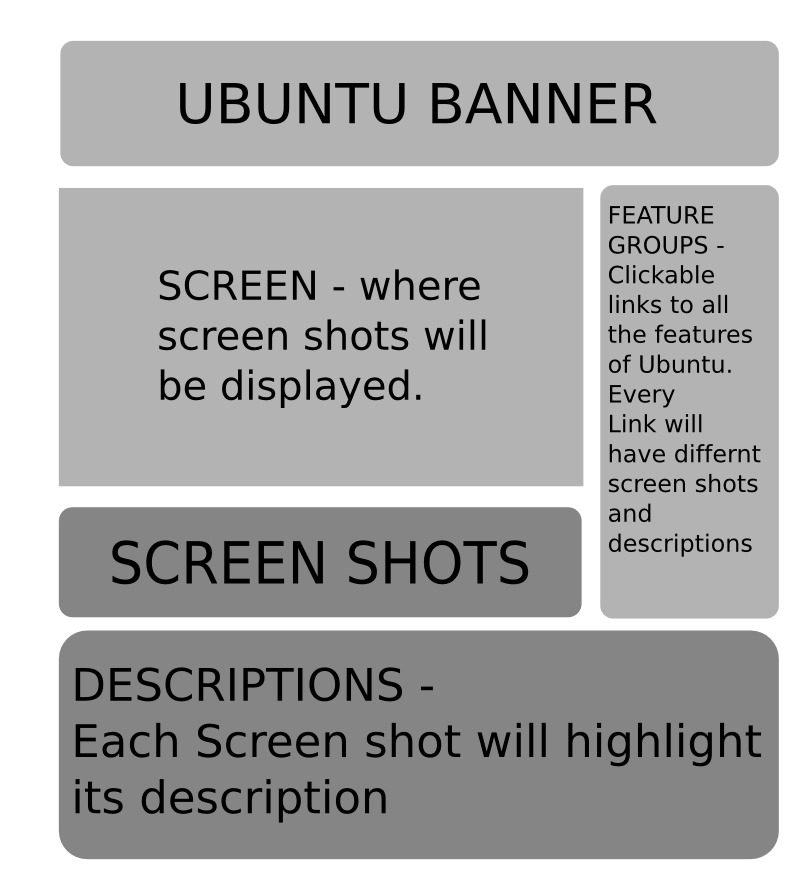
Vitaly Babiy (Vbabiy) Layout Prototype
How the layout will work
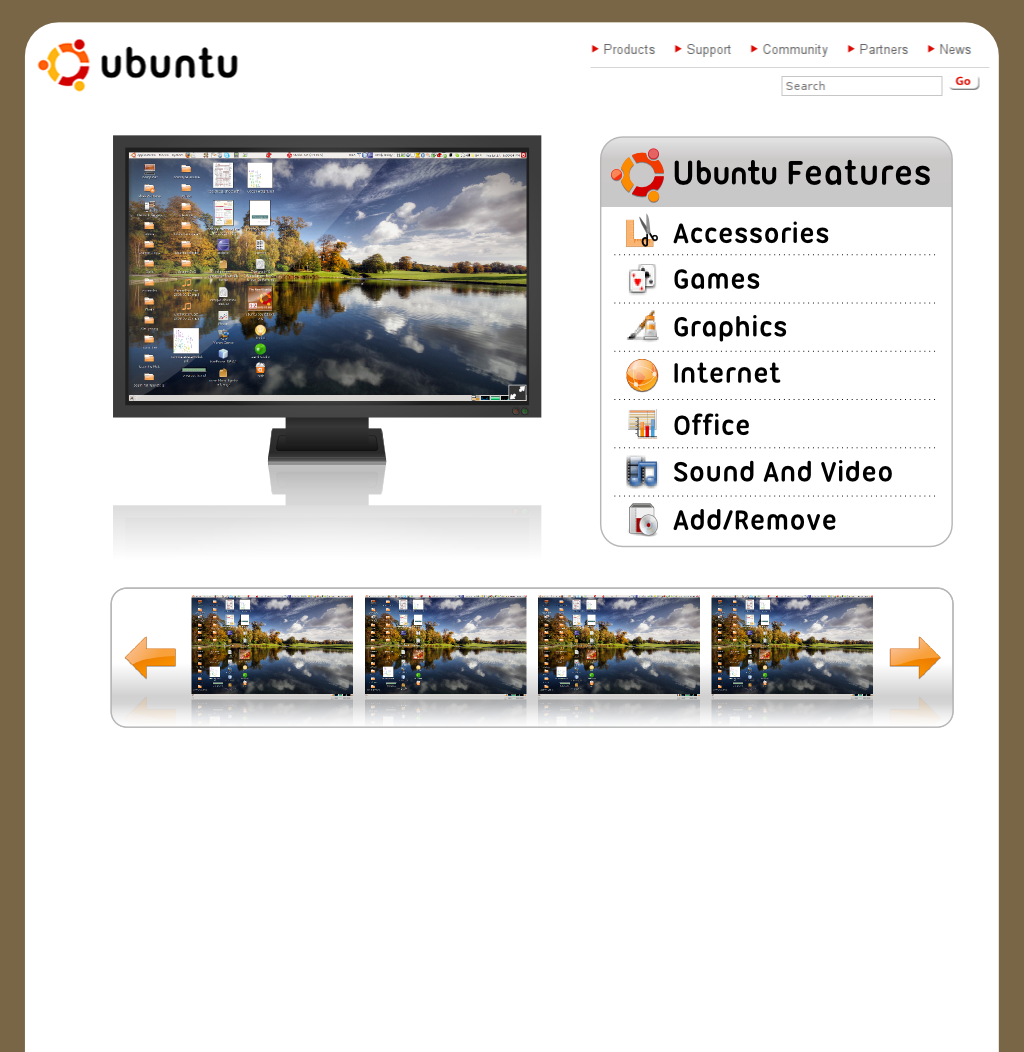
The right column will have list of category of Ubuntu features, such as Internet, Games, Chat and so on. when a user clicks on a category it will update the descriptions and screen shots. I personal think that ever screen shot should have a bullet explaining the feature about that software that is displayed in the screen shot.
Then when a user mouses over or clicks on a screen shot it should update the screen shot display with the graphic and highlight the bullet that is describing it in the description section.
I personally think we need this page to be very sexy so when some one comes to the site using windows or mac they really get the WOW Effect.
Vitaly Babiy (Vbabiy) Layout in color
Website/IntrepidFeatureTour (last edited 2008-08-06 16:30:39 by localhost)