SolvedThreads
|
Size: 1428
Comment: Add Option 3
|
Size: 1341
Comment:
|
| Deletions are marked like this. | Additions are marked like this. |
| Line 3: | Line 3: |
| Some helpful person on the Ubuntu forums has just solved that issue that has been causing you to tear your hair out. You want to proclaim to the world that everything is now peachy, but you're not sure how and you don't want to embarrass yourself on the forums by declaring your undying love for the aforementioned resolver. Well there is a simple way. Find your thread, and at the top of the page, click the "Thread Tools" Menu and then "Mark this thread as Solved". {{attachment:markyourthreadssolved.png}} |
Some helpful person on the Ubuntu forums has just solved that issue that has been causing you to tear your hair out. You want to proclaim to the world that everything is now peachy, but you're not sure how and you don't want to embarrass yourself on the forums by declaring your undying love for the aforementioned resolver. Well there is a simple way. Go to the first post in your thread and click on "Edit Post". {{attachment:editpost.png}} |
| Line 6: | Line 5: |
| The forum will take you to another page that tells you the thread was marked as solved and then it will take you back to the thread. This will make the topic have [SOLVED] before the title on the thread listings. | Now click on the orange "Go Advanced" button. {{attachment:advanced.png}} |
| Line 8: | Line 8: |
| {{attachment:Screenshot-1.png}} | In the advanced editor change the prefix to "SOLVED". {{attachment:prefix.png}} Now click on the orange "Save Changes" button. {{attachment:save.png}} |
| Line 11: | Line 16: |
{{attachment:Screenshot-3.png}} |
{{attachment:result.png}} |
How to mark your thread as SOLVED
Some helpful person on the Ubuntu forums has just solved that issue that has been causing you to tear your hair out. You want to proclaim to the world that everything is now peachy, but you're not sure how and you don't want to embarrass yourself on the forums by declaring your undying love for the aforementioned resolver. Well there is a simple way. Go to the first post in your thread and click on "Edit Post". 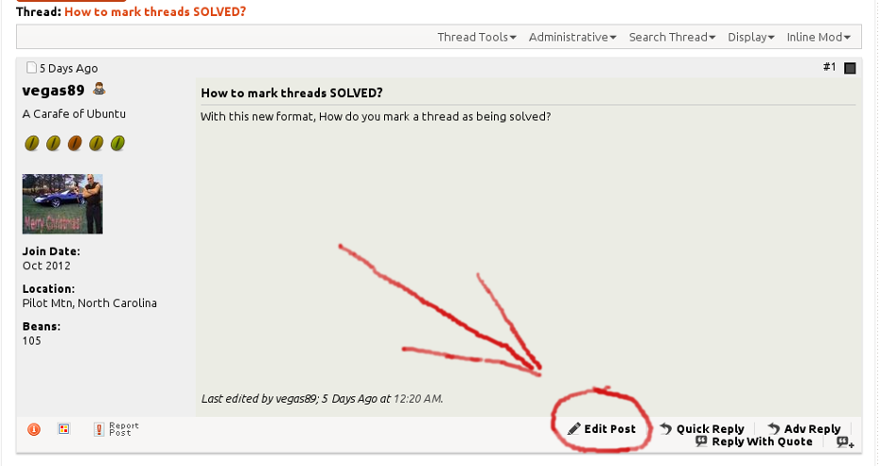
Now click on the orange "Go Advanced" button. 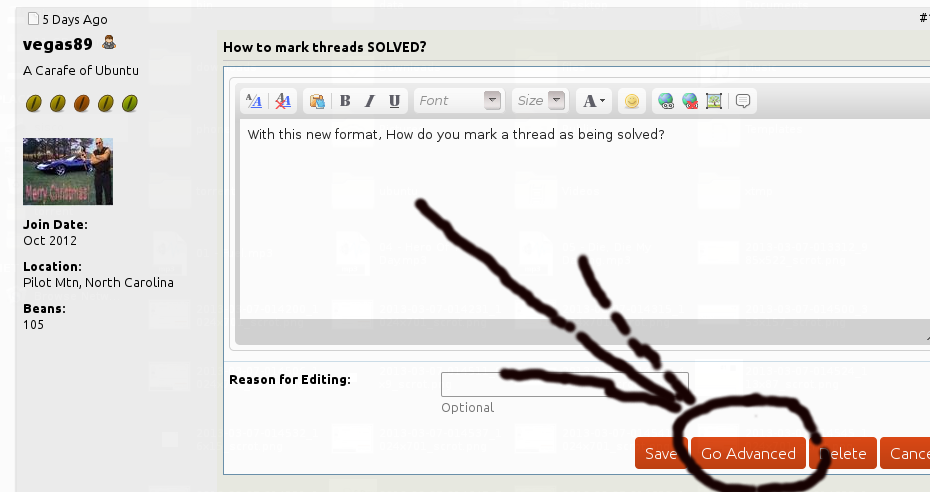
In the advanced editor change the prefix to "SOLVED". 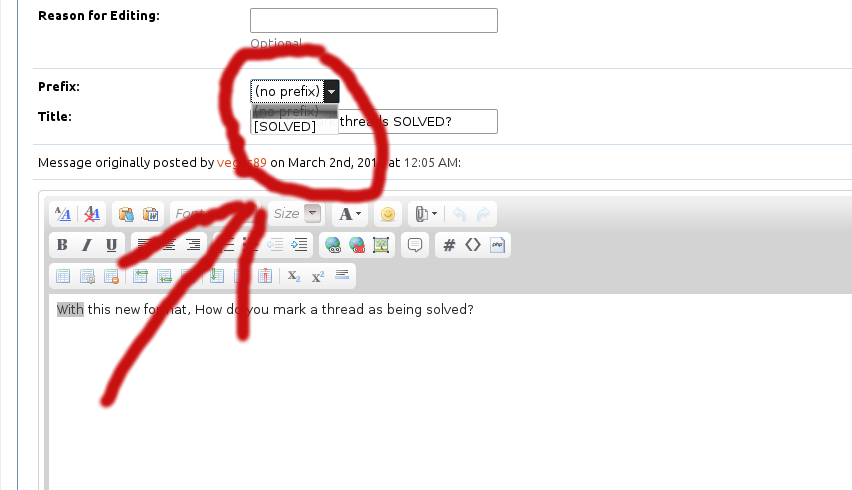
Now click on the orange "Save Changes" button. 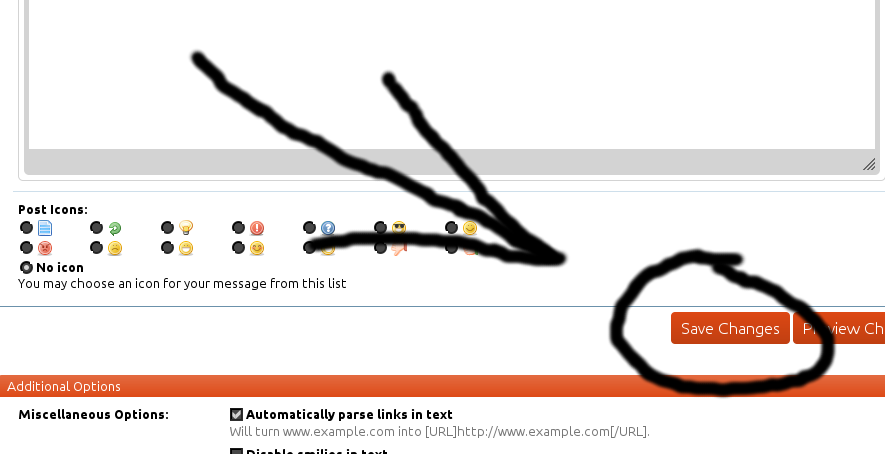
And the result: 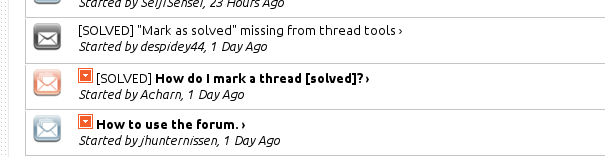
Marking a Thread as Solved has multiple useful outcomes;
1. It lets the person who answered your thread know that everything is working;
2. It lets other people searching the forums know that this thread provides a working solution (at least to the original poster) for their problem;
3. It saves people who try to help others in the Ubuntu Forums from wasting their time looking at threads that are already solved. This means that they can spend more time working on unsolved threads which helps everyone in the forums.
UnansweredPostsTeam/SolvedThreads (last edited 2015-06-01 05:07:35 by 124-66-20-103)