Sessions
|
Size: 1653
Comment:
|
Size: 1746
Comment:
|
| Deletions are marked like this. | Additions are marked like this. |
| Line 5: | Line 5: |
| Prior to the start of a session, the track lead will need to create a new On-Air Hangout. Before turning on the broadcast, the Track Lead will copy the Hangout URL and the !YouTube URL (which can be shown by clicking the “Embed” link) into the "Edit Hangout Details" form on Summit for that session. | These instructions are for the track leads or session leads who will be running a virtual UDS session. They are not needed for people who are participating on a session. For participation see [[UDS/Hangouts]] == Starting the Hangout === Prior to the start of a session, the track lead will need to create a new On-Air Hangout. To create an On-Air Hangout, click the "Start a Hangout" button on Google+, and check the "Enable Hangouts On Air" checkbox. {{attachment:Hangout_start.png}} The hangout will start in a non-broadcasting mode at first. This will give you time to add the Hangout details to the Summit meeting page. {{attachment:Hangout_broadcast-embed.png}} == Updating Summit == Before turning on the broadcast, the Track Lead will copy the Hangout URL and the !YouTube URL (which can be shown by clicking the “Embed” link) into the "Edit Hangout Details" form on Summit for that session. {{attachment:Edit-hangout-details.png}} {{attachment:Save-hangout-details.png}} == Verifying your Account == |
| Line 12: | Line 31: |
= Viewing Sessions = Summit provides a Session page that embeds the !YouTube broadcast video, the Etherpad document, and a Web Chat widget configured for the correct IRC channel. A small javascript process will periodically check for the availability of the !YouTube broadcast URL and automatically update the page so that users do not need to refresh. If the user is one of the “required” participants, as designated by the Track Lead or Session Drafter, will additionally be presented with a link to join the On-Air Hangout. Additional participants can join the On-Air Hangout if given the Hangout URL by somebody already there. |
Scheduling |
Participating |

Running Sessions
These instructions are for the track leads or session leads who will be running a virtual UDS session. They are not needed for people who are participating on a session. For participation see UDS/Hangouts
== Starting the Hangout ===
Prior to the start of a session, the track lead will need to create a new On-Air Hangout. To create an On-Air Hangout, click the "Start a Hangout" button on Google+, and check the "Enable Hangouts On Air" checkbox.

The hangout will start in a non-broadcasting mode at first. This will give you time to add the Hangout details to the Summit meeting page.

Updating Summit
Before turning on the broadcast, the Track Lead will copy the Hangout URL and the YouTube URL (which can be shown by clicking the “Embed” link) into the "Edit Hangout Details" form on Summit for that session.


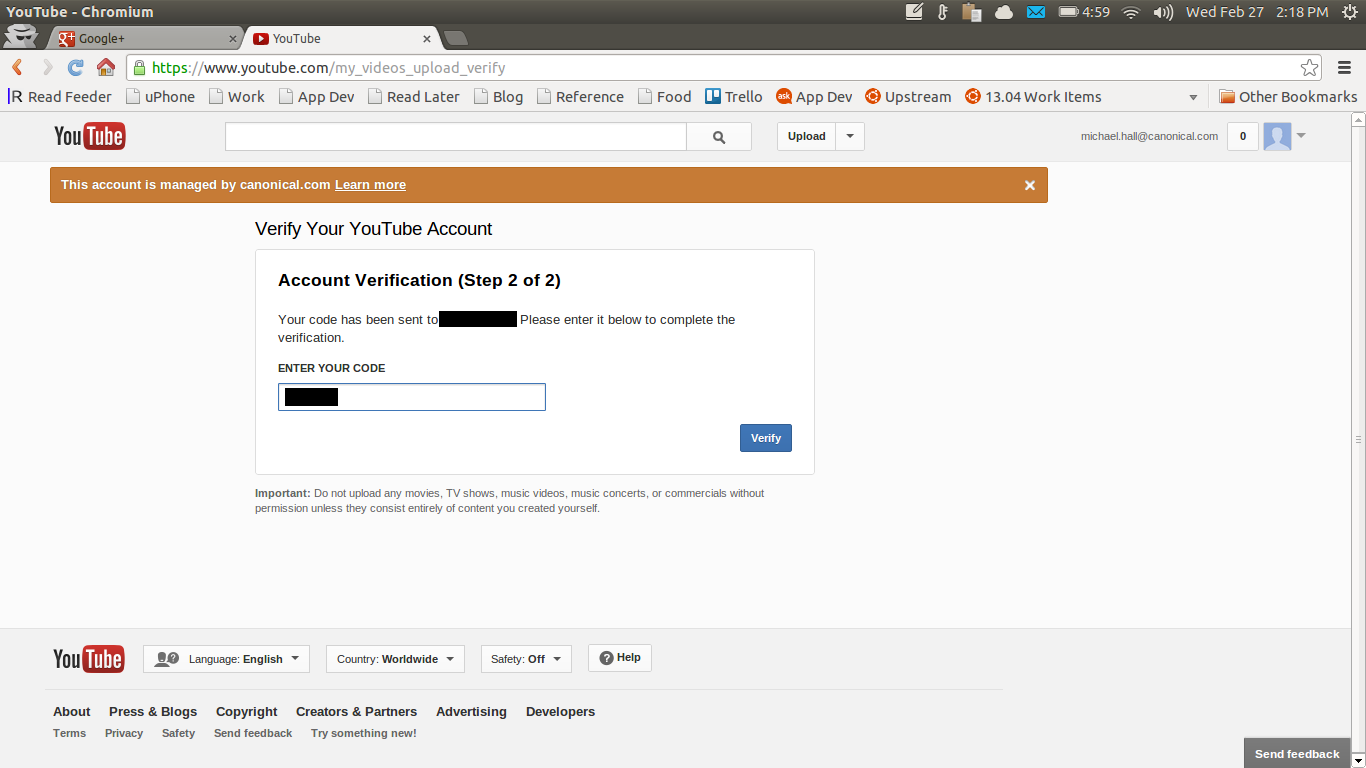
Verifying your Account
You will need to have a Verified YouTube profile before you can start an On-Air Hangout. You will be prompted to do this when you first attempt to create an On-Air Hangout, and the process will send a verification token over SMS to your mobile phone.
When the session is to begin, the Track Lead will press the “Start Broadcast” button (only available to the person who created the Hangout) to begin streaming the Hangout video. At the end of the session, the Track Lead will end the broadcast, which will then save the recorded video to YouTube for future viewing.
UDS/Sessions (last edited 2016-11-15 16:03:05 by mhall119)