EnableProposed
|
Size: 3189
Comment: how to find your hwdb submission
|
Size: 3664
Comment: selective upgrades
|
| Deletions are marked like this. | Additions are marked like this. |
| Line 12: | Line 12: |
=== Selective upgrading from hardy-proposed === Create the file /etc/apt/preferences with this content: {{{ Package: * Pin: release a=hardy Pin-Priority: 900 Package: * Pin: release a=hardy-proposed Pin-Priority: 400 }}} You can then start aptitude to select the -proposed packages you want to upgrade with {{{ sudo aptitude -t hardy-proposed }}} This means you won't be prompted to upgrade all the -proposed packages, only ones you want to upgrade. |
To enable the proposed archive for hardy add the following line to /etc/apt/sources.list:
{{{deb http://archive.ubuntu.com/ubuntu/ hardy-proposed restricted main multiverse universe }}}
or go to System -> Administration -> Software sources and tick the hardy-proposed box under the updates tab.
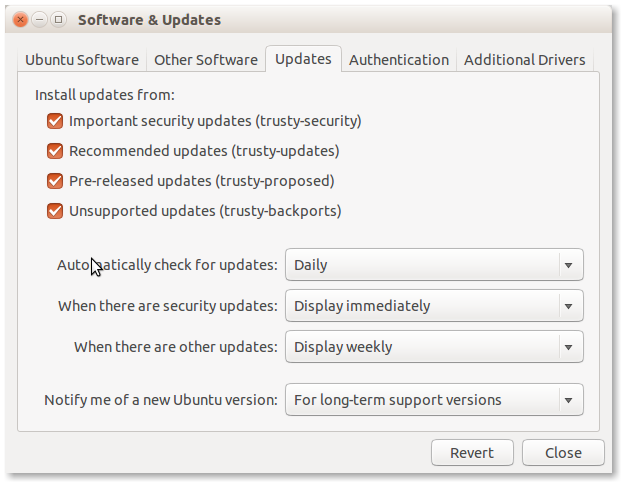
Selective upgrading from hardy-proposed
Create the file /etc/apt/preferences with this content:
Package: *
Pin: release a=hardy
Pin-Priority: 900

Package: *
Pin: release a=hardy-proposed
Pin-Priority: 400
You can then start aptitude to select the -proposed packages you want to upgrade with
sudo aptitude -t hardy-proposed
This means you won't be prompted to upgrade all the -proposed packages, only ones you want to upgrade.
Enable Apport
When running proposed it is recommend that you re-enable Apport bug filing to capture and report crashes. In the event that you end up reporting a crash about a proposed package please tag the bug as proposed-pkg so we can distinguish it from other crash reports.
You can enable Apport on a stable system with:
{{{gconftool -s /apps/update-notifier/show_apport_crashes --type bool true }}}
Hardy also needs Apport to be enabled in /etc/default/apport, edit this file and change enabled to 1. {{{sudo nano /etc/default/apport }}}
Once Apport is enabled you need to start the process do that with the following command. {{{sudo /etc/init.d/apport start }}}
To test that Apport is now running, enter the following command to cause a simple crash and generate a crash file in /var/crash: {{{sh -c 'kill -SEGV $$' }}}
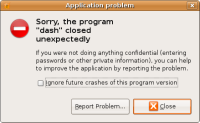
This should notify about the crash and offer you to submit it to Launchpad. Click on 'Report' and verify that the details look complete (package name and version, has a (broken) stack trace, etc.). Please do not actually send it to Launchpad, though, since it is not a genuine bug.

Uploading your hardware profile
To help us track the hardware test coverage, please upload your hardware profile for the system you will run proposed on using the hardware testing tool, found in the System -> Administration menu or with the command hwtest-gtk.
You can see your submitted information at https://launchpad.net/people/+me/+hwdb-submissions
Register your participation
We have set up an improvised way of tracking -proposed archive coverage using the bug tracker in Launchpad (but we are designing a more automated solution). To register your participation please select the appropriate bug for your architecture [https://bugs.launchpad.net/proposed-tracking/+bugs here] and add a comment using the template in the description. Thanks!
Verifying SRU bugs
For extra points please help us verify the fixes to the proposed updates as listed [http://people.ubuntu.com/~ubuntu-archive/pending-sru.html here].
Testing/EnableProposed (last edited 2024-08-23 16:26:45 by uralt)