SessionHandling
|
⇤ ← Revision 1 as of 2010-02-17 15:42:35
Size: 2031
Comment: moved from SessionTerminationConfirmation; removed countdown
|
Size: 2027
Comment: shorter authentication text
|
| Deletions are marked like this. | Additions are marked like this. |
| Line 40: | Line 40: |
| 1. In `gnome-session`, change “System policy prevents stopping the system when other users are logged in” to “You must authenticate to switch off the computer while other accounts are logged in.” (with a period). | 1. In `gnome-session`, change “System policy prevents stopping the system when other users are logged in” to “To switch off the computer while others are logged in, you need to authenticate.” (with a period). |
This is an incomplete but living specification on how Ubuntu sessions should work.
As a temporary measure until ExitStrategy is implemented, there should be separate Log Out, Sleep, Hibernate, Restart, and Switch Off commands. The Log Out, Restart, and Switch Off commands should have confirmation alerts. The “Sleep” and “Switch Off” terminology should be used consistently across Ubuntu.
Packages affected: gdm, gnome-power-manager, gnome-session, indicator-session
Common alert elements
The primary action button should respond to the Enter key, and should not have any other access key. The Cancel button should respond to the Esc key, and should not have any other access key. None of the buttons should have icons.
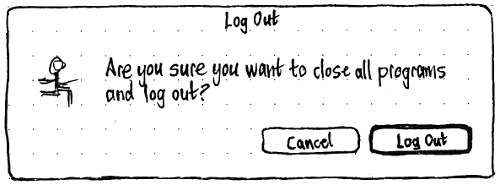
Log Out
If updates that require a restart are waiting to be installed:
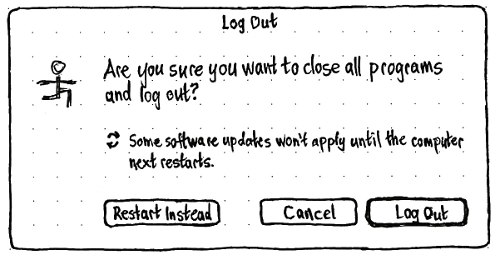
The “Restart” button should have the access key R. If you do not have permission to restart without authenticating, the button label should end with an ellipsis.
Otherwise:
Restart
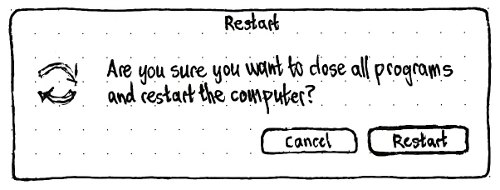
If you do not have permission to restart without authenticating, the button label should end with an ellipsis.
Switch Off
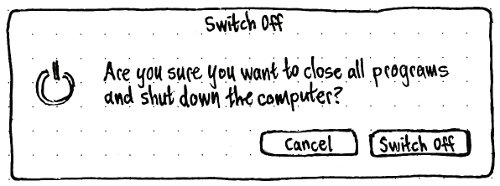
If you do not have permission to switch off without authenticating, the button label should end with an ellipsis.
Implementation plan
In indicator-session, implement the new alerts.
In gdm, change “Suspend” to “Sleep” and “Shut Down” to “Switch Off”.
In gnome-power-manager, change “Suspend” to “Sleep” and “Shutdown” [sic] to “Switch Off”.
In gnome-session, change “System policy prevents stopping the system when other users are logged in” to “To switch off the computer while others are logged in, you need to authenticate.” (with a period).
Later, move the confirmation alerts from indicator-session to gnome-session.
SessionHandling (last edited 2016-01-08 12:12:56 by mpt)