SeasonOfUsabilityWeek3Notes
|
Size: 1628
Comment:
|
Size: 2218
Comment:
|
| Deletions are marked like this. | Additions are marked like this. |
| Line 19: | Line 19: |
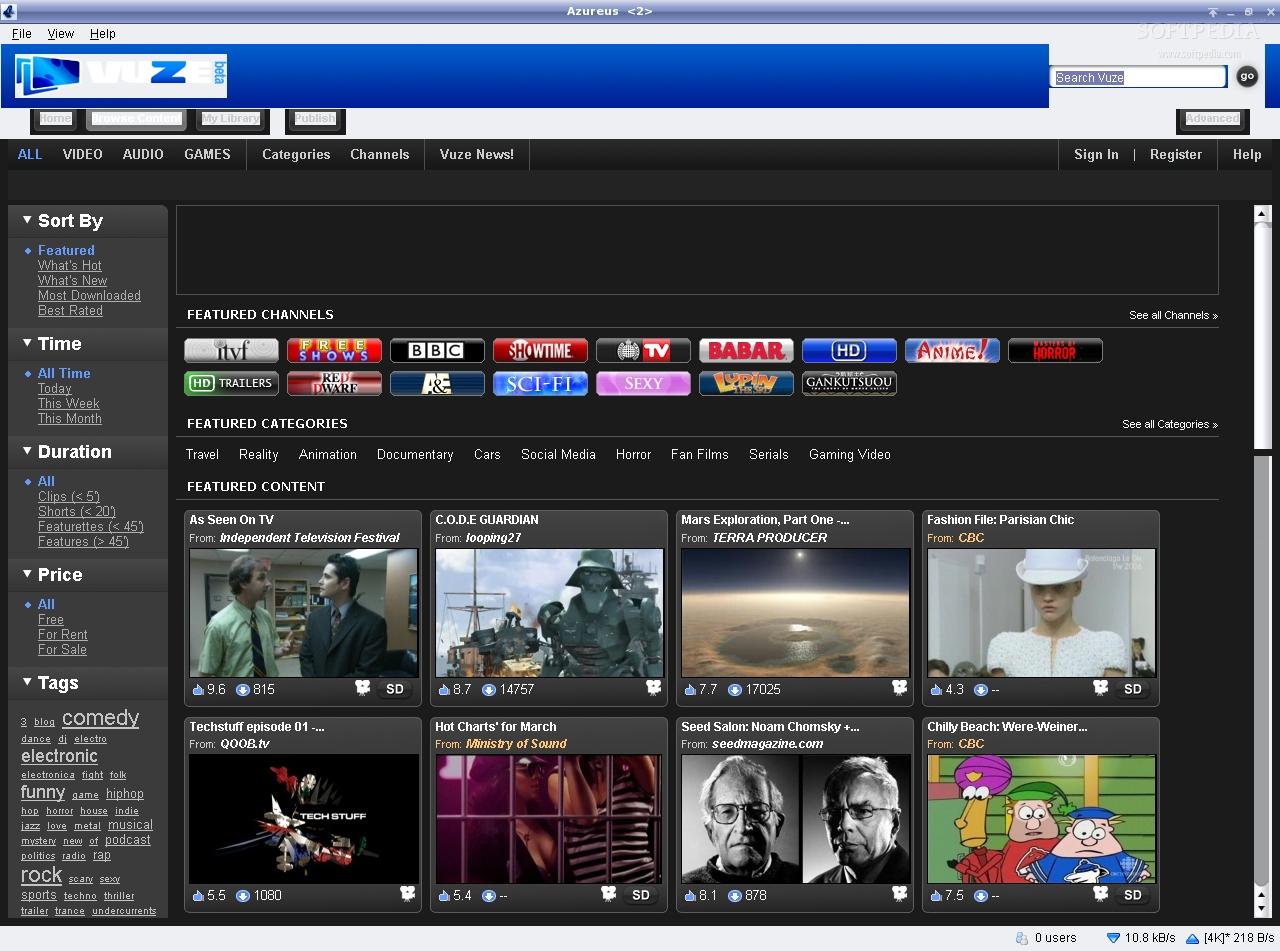
| * Miro (http://www.getmiro.com/download/screenshots/) * torrent browser (http://images.snapfiles.com/screenfiles/uTorrent.gif) * hulu desktop (http://www.freewaregenius.com/wp-content/uploads/2009/06/hulu-desktop-screenshot6.jpg) * netflix online (http://www.hundred10.com/img/screen-netflix1.jpg) * vuze (http://linux.softpedia.com/screenshots/Vuze_1.jpg) * Microsoft media center (http://www.screenshots-archive.com/files/images/image082.preview.png) * Flickr "clock" (http://www.flickr.com/explore/clock/) |
* Miro - as discussed, this is a really nice, engaging example of a discovery/management platform (http://www.getmiro.com/download/screenshots/) * torrent browser - boring, but I like the way "state" is clearly handled, although miro has cleaned this whole idea up and presented it nicely (http://images.snapfiles.com/screenfiles/uTorrent.gif) * hulu desktop - a nice discovery platform, and relatively novel browsing interface (http://www.freewaregenius.com/wp-content/uploads/2009/06/hulu-desktop-screenshot6.jpg) * netflix online - nice job with grouping and presenting items for browsing in an engaging and actionable way (http://www.hundred10.com/img/screen-netflix1.jpg) * vuze - reduction of a ton of content types into something more manageable (http://linux.softpedia.com/screenshots/Vuze_1.jpg) * Microsoft media center - good presentation of items for browsing with interesting animation effects (http://www.screenshots-archive.com/files/images/image082.preview.png) * Flickr "clock" - this is really cool way to associate time with content/changes (http://www.flickr.com/explore/clock/) |
Week of June 22, 2009
To do this week:
- Brainstorm alternative layouts
- What is the functionality/hierarchy:
- stuff they already have (#) (my apps, my software, my library, etc)
- currently downloading (#)
- completed (#) (this is also history?)
- updates
- stuff they can get
- applications/packages
- other non-package things
- updates (go here?)
- other things of relevance (feeds, etc)
- feedback (this would be really nice and if given good real estate might actually be used, it is unlikely that a novice could navigate the existing bug reporting system)
- stuff they already have (#) (my apps, my software, my library, etc)
- What about 3d manipulations, compiz?
- Screenshots
Current add/remove - http://sydney.indymedia.org.au/files/sydimc/images/ubuntu-add-remove.img_assist_custom.png
Miro - as discussed, this is a really nice, engaging example of a discovery/management platform (http://www.getmiro.com/download/screenshots/)
torrent browser - boring, but I like the way "state" is clearly handled, although miro has cleaned this whole idea up and presented it nicely (http://images.snapfiles.com/screenfiles/uTorrent.gif)
hulu desktop - a nice discovery platform, and relatively novel browsing interface (http://www.freewaregenius.com/wp-content/uploads/2009/06/hulu-desktop-screenshot6.jpg)
netflix online - nice job with grouping and presenting items for browsing in an engaging and actionable way (http://www.hundred10.com/img/screen-netflix1.jpg)
vuze - reduction of a ton of content types into something more manageable (http://linux.softpedia.com/screenshots/Vuze_1.jpg)
Microsoft media center - good presentation of items for browsing with interesting animation effects (http://www.screenshots-archive.com/files/images/image082.preview.png)
Flickr "clock" - this is really cool way to associate time with content/changes (http://www.flickr.com/explore/clock/)
- What is the functionality/hierarchy:
- List of tasks for usability testing
- software updates - can we make this happen "naturally" in the test and see reactions? ie - have it notify them (highlighted somehow in nav, popup?), then go through the process
- ..
- ...
- Canonical brainstorm session feedback



SeasonOfUsabilityWeek3Notes (last edited 2009-06-30 15:20:35 by yttrium)