LittleDetails
|
Size: 3491
Comment: Shutdown/log out icon
|
Size: 2186
Comment: Nautilus keyboard navigation - already implemented in Gnome 2.26
|
| Deletions are marked like this. | Additions are marked like this. |
| Line 44: | Line 44: |
| === Nautilus keyboard navigation === Some people would like to think of a 2d grid of icons as "perhaps a 1d line" of icons. Thus, pressing right arrow in the last column should move selection, as the red line shows. In reverse, pressing the left arrow in the first column should move to last column in the previous line. This leads the selection order to follow the sort order -- in other words, if the files are ordered alphabetically, selecting the first and last "A" entries with a normal click and a shift-click cause all entries starting with "A" to be selected, no matter which column each falls on. [[http://launchpadlibrarian.net/11627060/keyboard-navigation-expected.png]] This model is used in Windows (all versions), Thunar from XFCE and - AFAIR - MacOS and KDE. It's one of the [[http://chabada.sk/better-desktop/|40+ Suggestions for Better Desktop]]. Other people, however, would prefer to think of a 2d grid of icons as 2d, with no wrapping as above. The catch is how to move the selected item after random files have been deleted/moved from the folder. There should be an option to select this behavior. * Response: What difference does it make to the keyboard navigation? The key point is to enable arrows at the extreme columns, which should do no harm to anybody. |
It is important that Ubuntu is polished up to the little details. You are encouraged to add more cases or improve existent ones!
Some cases that can be improved
Applications menu
- Highlight recently installed applications
Places menu
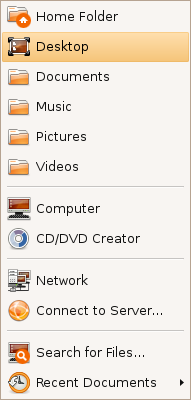
Bookmarks
Before:

After:
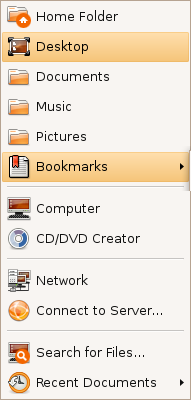
This menu shows now the 3 most used bookmarks and hides the rest under a submenu (instead of hiding all of them).
Shutdown/log out icon
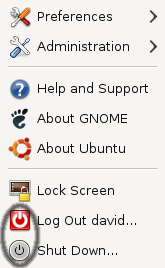

This is with the default Human theme on Intrepid. It should either stick with the red power off logo, or the grey one.
CD/DVD Creator
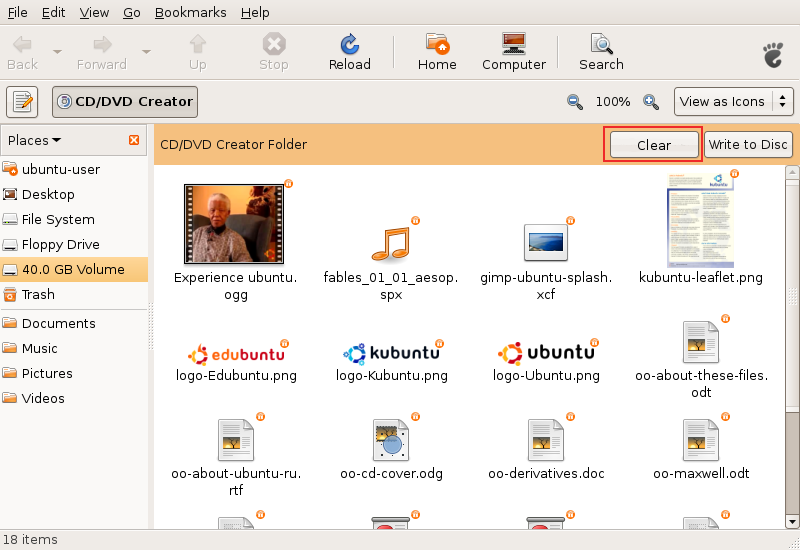
Added the "Clear" button. There should be also a message instructing the user and maybe a progress bar with the space occupied.
Response: Good idea! I started work on this: http://bugzilla.gnome.org/show_bug.cgi?id=520414
Same icons in all places
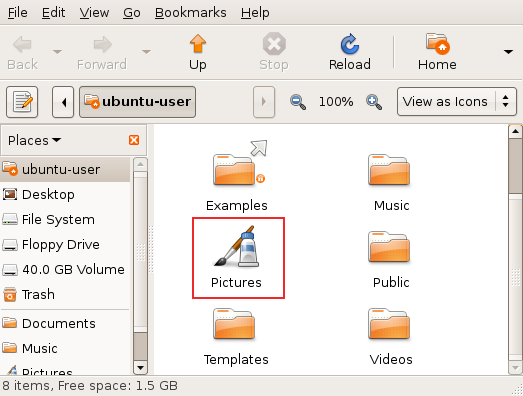
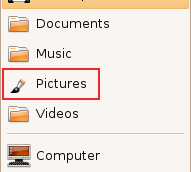
When the user changes the default icon of a folder (like shown in the first image), this change should be reflected under the Places menu (like shown in the second image). This behaviour is now inexistent.
Nautilus
Intelligent trash-bin
- Add an option to auto-purge elements older than X days
- Allow restoration of individual items or the entire trash bin to the locations they were in before they were moved to the trash
Context-sensitive emblems
- Nautilus should auto-detect the most common type of files inside a folder and attach an emblem accordingly (this feature is available in Konqueror)
Misc
- When opening a file for which only root has write permissions, the user should be prompted for the password to enable writing to it. The user would of course have the option to supply no password, in which case the file will remain read-only. Similarly, if only root has read permissions, the user is notified and offered a password prompt to allow them to read the file.
LittleDetails (last edited 2012-01-23 08:00:25 by 230-55-139-94)