Keyboard
Revision 1 as of 2015-06-04 12:28:53
Clear message
This is an incomplete design specification for settings, notifications, and other behaviors relating to keyboards.
Prompting to set up a keyboard
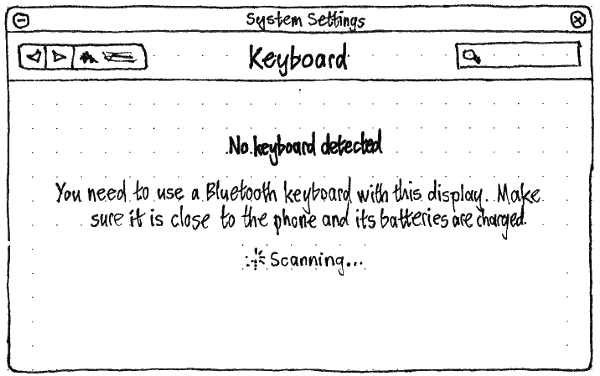
Whenever no keyboard is detected, the “Keyboard” screen of System Settings should begin with the text “No keyboard detected”. The following text should depend on the situation.
- On a pocket PC: “You need to use a Bluetooth keyboard with this display. Make sure it is close to the phone and its batteries are charged.”
- On a PC: “Connect a keyboard via USB, or use a Bluetooth keyboard. If a Bluetooth keyboard isn’t detected, make sure its batteries are charged.”
As long as the screen is open, Bluetooth should be turned on to detect a Bluetooth keyboard. If it was off previously, it should turn off again as soon as you exit the screen.
Ubuntu should open the “Keyboard” screen of System Settings if all of these are true:
- you are using a PC, or a pocket PC with a non-touch external display in use;
- no keyboard has been detected;
- System Settings is not already the active app;
- System Settings “Bluetooth” or “Keyboard” screen is not already open.