Kubuntu
ContentsBRTableOfContents(2) |
Introduction to Kubuntu 8.04
Kubuntu 8.04, the Hardy Heron, is the next release of Kubuntu, scheduled to be released towards the end of April 2008. This release will introduce the future of desktop computing by incorporating the new KDE 4 desktop as well as providing continued maintainenance and support for the KDE 3.5 desktop. With the news concerning the release of the KDE 4 desktop, it was decided by Canonical that Kubuntu 8.04 would not be a Long Term Support (LTS) release.
[http://www.thecodingstudio.com/opensource/linux/screenshots/index.php?os=kubuntu Screenshots will be available at The Coding Studio]
Upgrade from 7.10 or Download the CD
You can upgrade from Kubuntu 7.10 to 8.04 Beta over the internet in a few simple steps. See [https://help.ubuntu.com/community/HardyUpgrades/Kubuntu the upgrade walkthrough].
Kubuntu Download
Europe
http://gb.releases.ubuntu.com/8.04 (Great Britain)
http://nl.releases.ubuntu.com/8.04 (The Netherlands)
http://mirror.muntinternet.net/pub/ubuntu/releases/8.04 (The Netherlands)
http://ubuntu.ynet.sk/release/8.04/ (Slovakia)
http://se.releases.ubuntu.com/8.04 (Sweden)
Asia
http://tw.releases.ubuntu.com/8.04 (Taiwan)
Rest of the world
http://releases.ubuntu.com/8.04 (England)
Kubuntu KDE 4 Remix Download
http://se.cdimage.ubuntu.com/kubuntu-kde4/releases/8.04/beta/ (Europe)
http://cdimage.ubuntu.com/kubuntu-kde4/releases/8.04/beta/ (England)
Previous Kubuntu 8.04 Releases
The following is a list of the previous Kubuntu 8.04 releases during the Hardy Heron development cycle:
- [:HardyHeron/Alpha1/Kubuntu: Alpha 1]
- [:HardyHeron/Alpha2/Kubuntu: Alpha 2]
- [:HardyHeron/Alpha3/Kubuntu: Alpha 3]
- [:HardyHeron/Alpha4/Kubuntu: Alpha 4]
- [:HardyHeron/Alpha5/Kubuntu: Alpha 5]
- [:HardyHeron/Alpha6/Kubuntu: Alpha 6]
New in Kubuntu 8.04 Beta
Kubuntu 8.04 Support News
Kubuntu 8.04 will consist of two different releases, the commercially supported one featuring the stable KDE 3.5.9 desktop and a remix featuring the latest release of KDE 4.0. The following is a quick breakdown of the type of support and distributions methods which will be made available to Kubuntu 8.04:
Kubuntu
- Rock solid KDE 3
Commercial support provided by [http://www.canonical.com Canonical] for a term of 18 months
Release available through ShipIt for everybody as well as downloading
Kubuntu KDE 4 Remix
- Cutting edge KDE 4.0
Support provided by the Kubuntu community via [http://ubuntuforums.org Ubuntu Forums], [http://www.kubuntuforums.net Kubuntu Forums], [:IRC:IRC], and the [https://lists.ubuntu.com/mailman/listinfo/kubuntu-users Kubuntu Users Mailing List].
Release available through CDs for groups who need it (ie. LoCo teams, conference teams, etc.) as well as downloading
KDE 4
Info: http://www.kde.org/announcements/4.0/guide.php BR Version: 4.0.2 BR
The future of the desktop is upon us, and the award winning desktop environment, KDE, is pleased to grace all of us with their newest desktop, KDE 4.0. This latest release, version 4.0.2, includes many new features, improvements, and many bug fixes such as:
- Plasma - size and position of the panel is now configurable
- KHTML - repainting issues addressed and KHTML now supports more websites by accepting more non-HTML4-compliant documents
- Several stability issues have been fixed
- Session switching has been included
[http://www.kde.org/announcements/changelogs/changelog4_0_1to4_0_2.php and more...]
KDE 3
Info: http://dot.kde.org/1203436147/ BR Version: 3.5.9 BR
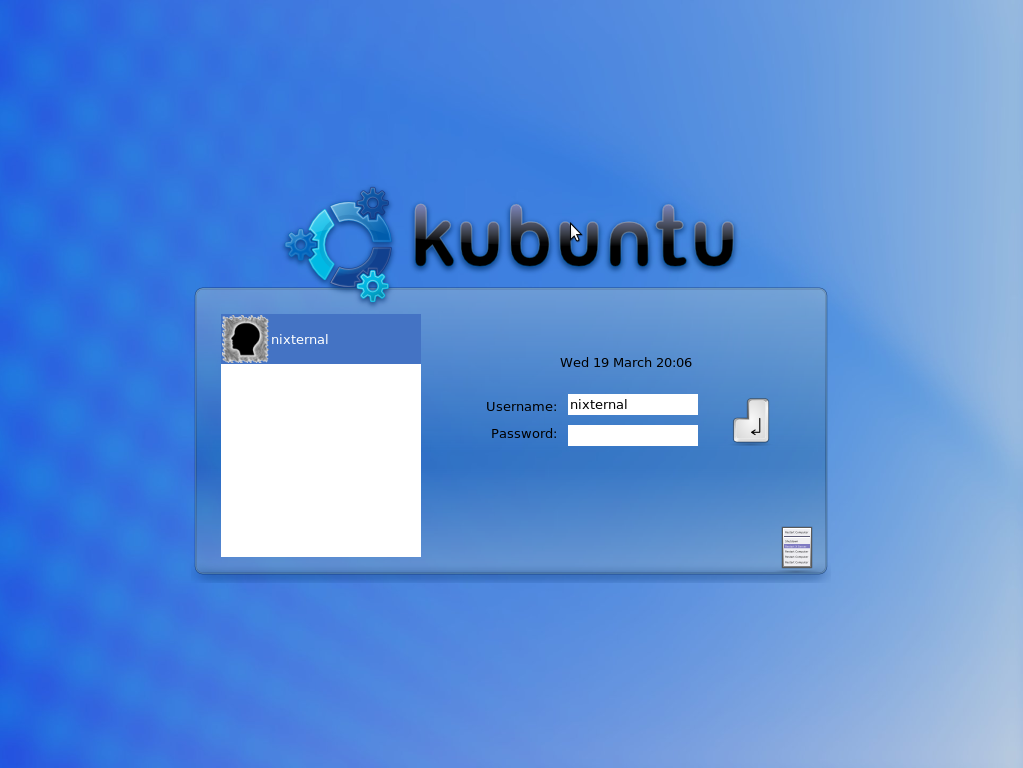
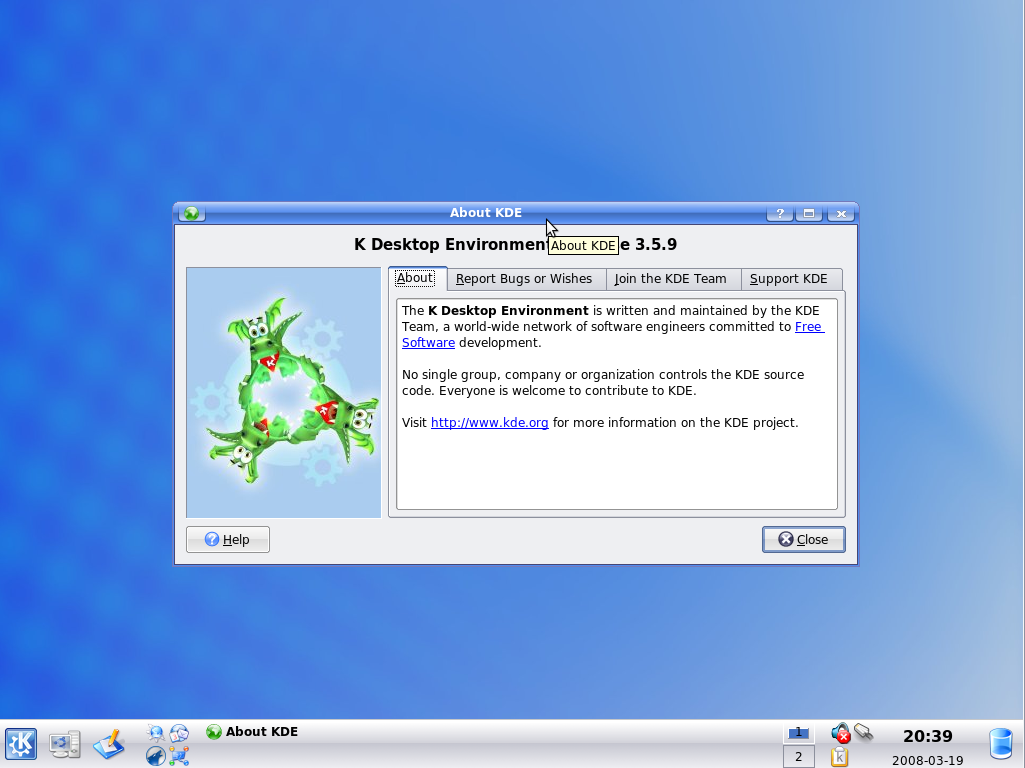
The award winning desktop environment, KDE, has updated its stable version with the 3.5.9 release. This latest release includes new features, improvements, and bug fixes such as:
- A favorite email folders view in KMail as well as drag-and-drop support for the folders
- Easier scheduling in KOrganizer
- KGeography and Kig fixes within the KDE Edu module
- Fixes to KPDF
[http://www.kde.org/announcements/changelogs/changelog3_5_8to3_5_9.php and more...]
Desktop Effects
KMenu -> System -> Desktop Effects
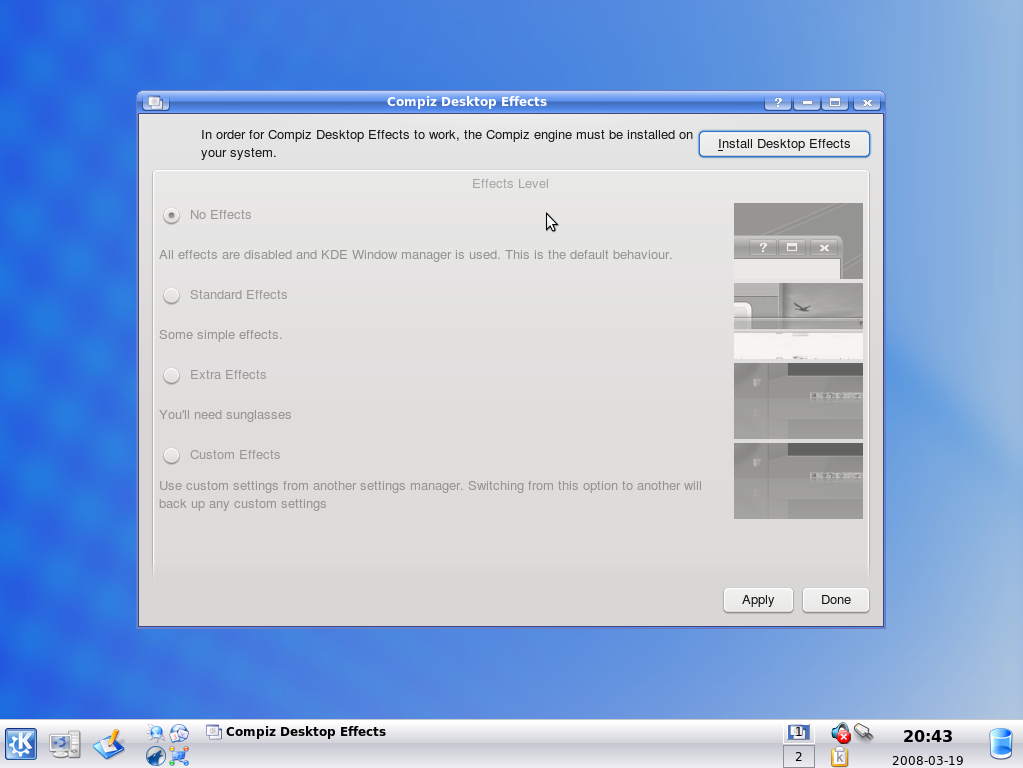
For the first time ever, Kubuntu 8.04 users, using KDE 3.5.9, will have the ability to easily enable Compiz desktop effects. Choose from 4 levels of desktop effects:
- No Effects - all effects are disabled and the KDE window manager (KWin) is used.
- Standard Effects - some simple effects such as shadows, window shrinking, and more.
- Extra Effects - take the standards effects, multiply them by ten, throw on some sunglasses, and hang on
- Custom Effects - Extra Effects not enough? You want more? No problem, this setting has you covered! You will need to install the Compiz Configuration Manager to tweak the effects.
Amarok
Info: http://amarok.kde.org BR Version: 1.4.8 BR KMenu -> Multimedia -> Amarok
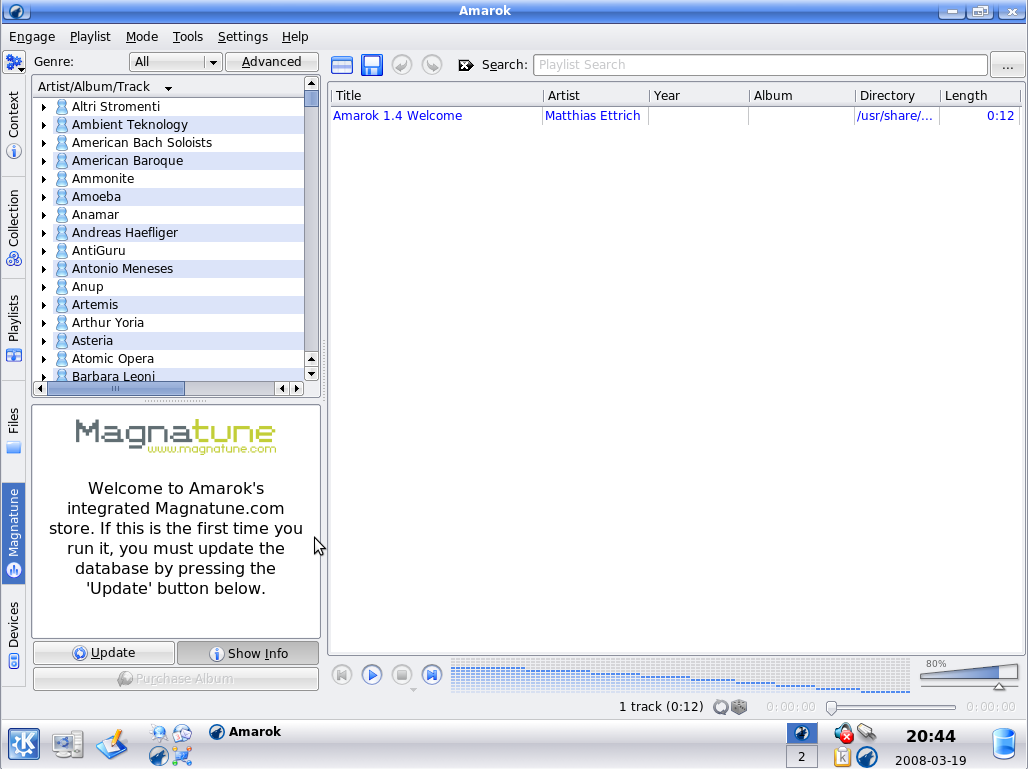
Amarok released a new version of their award winning music player. This latest release, version 1.4.8, includes changes and bugfixes such as:
- Better support for the iPhone and iPod Touch mounted via fuse or sshfs
- Improved compatibility with the newer iPods
- Optimised some database queries with the MySQL backend
- Fixes to the PostgreSQL backend
[http://amarok.kde.org/en/fastforward_148 and more...]
Kaffeine Codec Installation
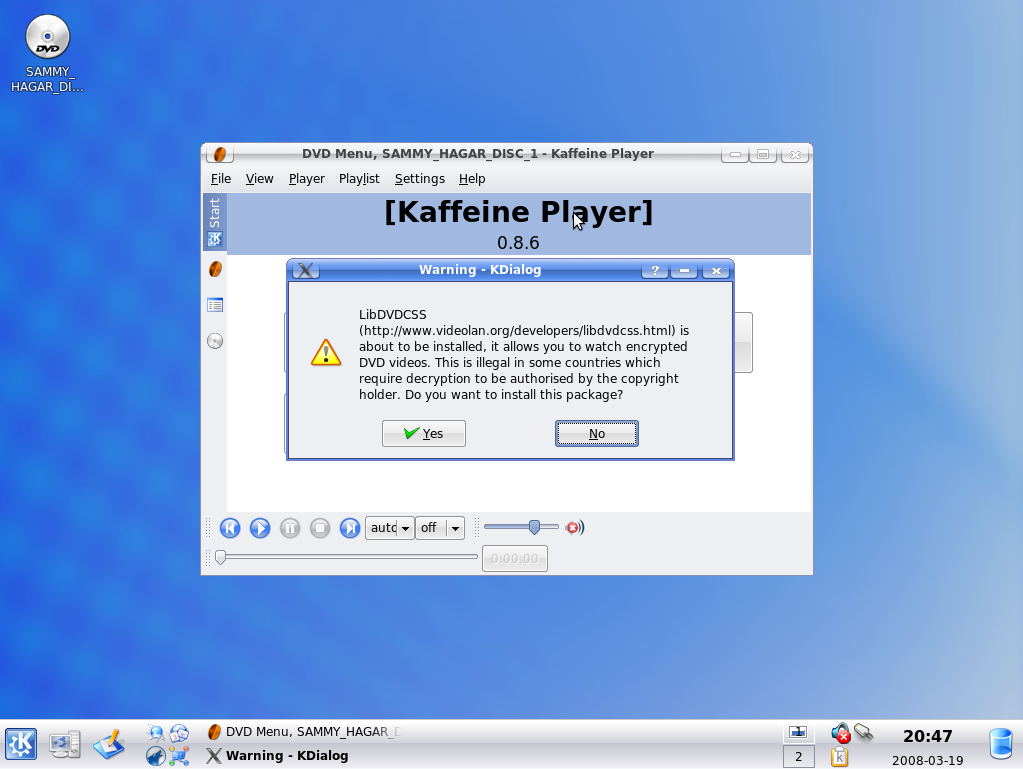
Codecs will now automatically be installed when opening a file for the first time in Kaffeine. This new setup for Kaffeine also includes the automatic installation of DVD codecs which allow you to play DVD Videos with your Kubuntu system.
Wubi
Info: http://wubi-installer.org BR
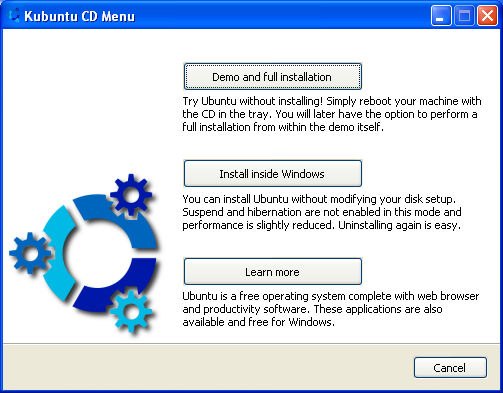
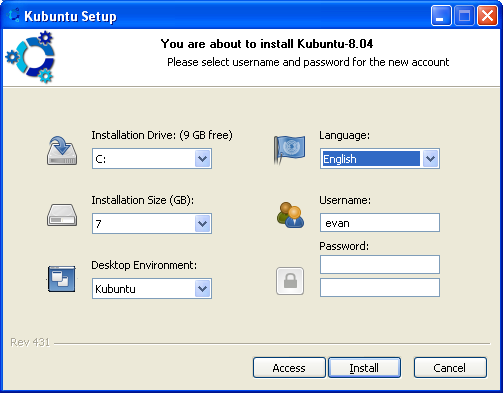
Wubi is an Ubuntu installer for Windows users that will bring you into the Linux world without the hassle of partitioning. Wubi allows you to install and uninstall Kubuntu as any other application. Some of the pros of Wubi include:
- It does not require you to modify the partitions of your PC or the need to use a different bootloader
- It keeps most of the files in one folder, and if you do not like Wubi or Kubuntu, you can simply uninstall it
- It installs Kubuntu just like any other application, however upon installation, accessing Kubuntu is simple, just select it from the Windows bootloader and it will run just like any other operating system
Encryption
Info: ["EncryptedFilesystemsInstaller"] BR
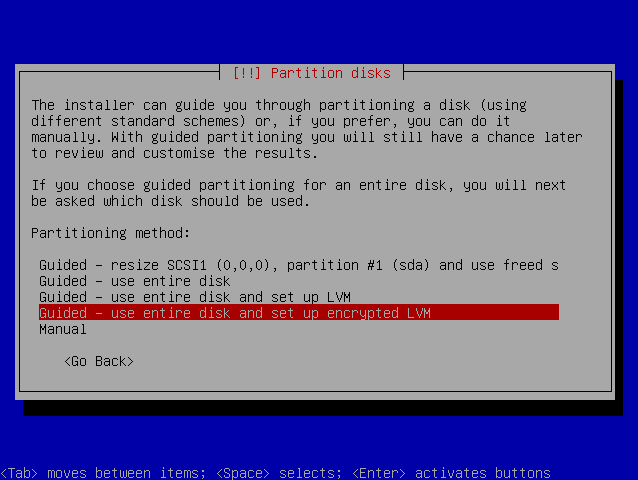
For the first time ever, you can encrypt your file system (all but the /boot partition) for increased security during the installation of Kubuntu. Simply select the encryption option at the portion of the installation that requires you to setup your hard drive partitions. This option is only available with the Alternate Install CD at this time.
NTFS Support and User Mountable Hard Disks
Info: ["WriteSupportForNTFS"] BR
Kubuntu 8.04 can easily read and write to your NTFS partitions. Simply open up Dolphin, select Storage Media, then select your NTFS partition, and away you go.
We have also enabled user mountable disks where they have not been set up in advance.
Bulletproof X and Display Configuration
Bulletproof X is a failsafe mode for X that will launch if the /etc/X11/xorg.conf files does not result in a working graphical environment due to Xorg failing to start.
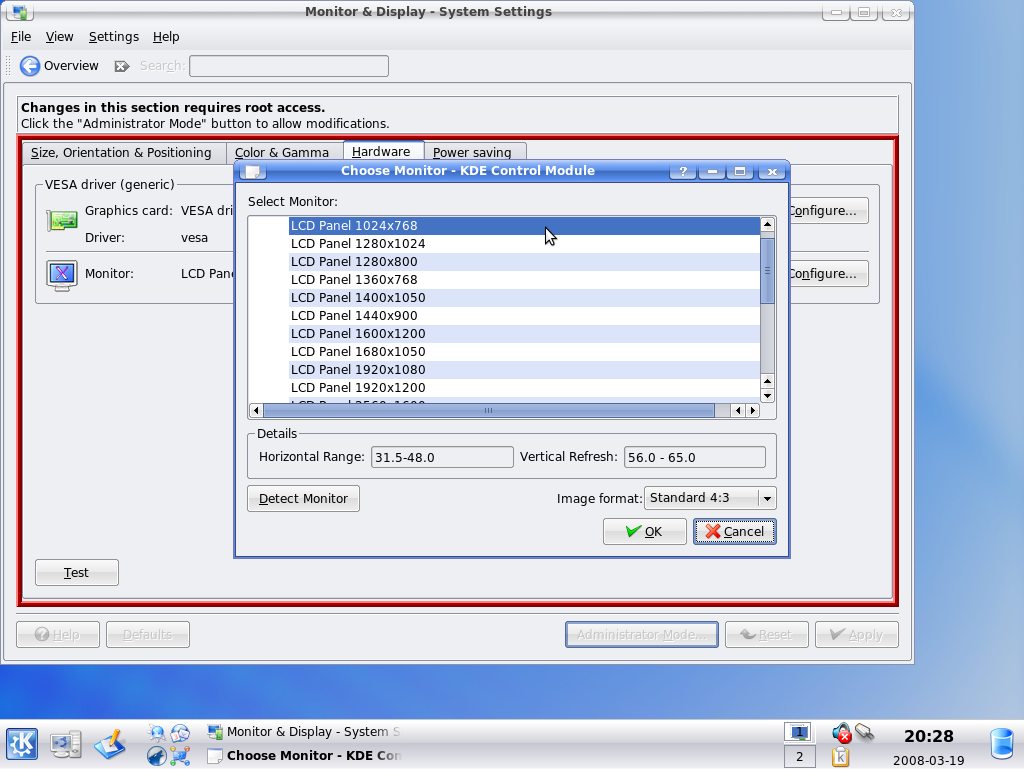
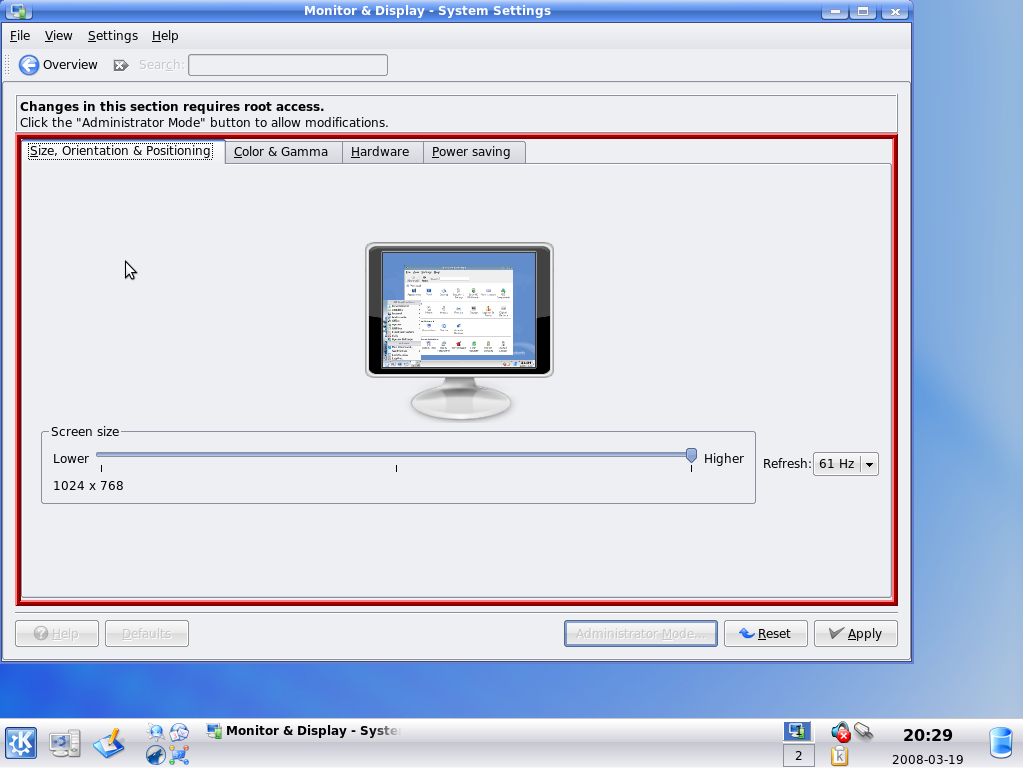
Info: https://launchpad.net/bugs/203378 BR KMenu -> System Settings -> Monitor & Display
Some modern video system are configured automatically by Kubuntu 8.04's X system. These systems lack the traditional /etc/X11/xorg.conf configuration file that displayconfig is designed to work with. Previously, in Gutsy and 8.04 Alpha releases, displayconfig was non-functional for these types of systems. To setup displayconfig to work with automatically configured displays, the following steps are required:
Open System Settings - Monitor & Display (KMenu -> System Settings then select the Monitor & Display icon)
Obtain administrative rights (press the Administrator Mode... button)
Select the appropriate monitor located under the Hardware tab
Apply the changes and then restart X (logout and then from the menu in KDM, select Restart X Server (Alt+E))
Once logged back in, open System Settings - Monitor & Display
- Obtain administrative rights
- Configure the display settings to your taste and apply changes
See [https://launchpad.net/bugs/203378 Bug #203378] for further details and status.
Current Issues or Bugs
The following are issues or bugs that the development team is aware of:
[https://launchpad.net/bugs/1 Bug #1] - Microsoft has a majority market share
Helping Kubuntu
Are you interesting in helping with the development of Kubuntu? If so, Kubuntu is looking for the following:
[:DocumentationTeam: Documentation writers]
[:TranslatingUbuntu: Translators]
[:BugSquad: Bug triagers]
- IRC, Mailing Lists, and Forums supporters
- [:MOTU: Application packagers]
- Application developers
No matter your skillset, Kubuntu has a job waiting for you! Check out HelpingKubuntu for more information.
Feedback
- Let us know what you think on the ["/HardyHeron/Beta/Kubuntu/Feedback"] page
Development: kubuntu-devel (at) lists.ubuntu.com ([http://lists.ubuntu.com/mailman/listinfo/kubuntu-devel subscribe])
Support
[http://ubuntuforums.org Ubuntu Forums]
[http://www.kubuntuforums.net Kubuntu Forums]
kubuntu-users (at) lists.ubuntu.com ([https://lists.ubuntu.com/mailman/listinfo/kubuntu-users subscribe])
[https://help.ubuntu.com/community/InternetRelayChat IRC] (#kubuntu)
Release Notes Translations
The following is a list of translations for these release notes:
German: http://www.kubuntu-de.org/nachrichten/kubuntu/beta-von-kubuntu-8-04-hardy-heron-erschienen (not released yet)
- list a link to your translations here