Impression
Contents |
| Slideshow ^ |< << Slide 12 of 55 >> >| |
Impression
Impression-ism was a 19th-century art movement that began as a loose association of Paris-based artists exhibiting their art publicly in the 1860s. The name of the movement is derived from the title of a Claude Monet work, Impression, Sunrise (Impression, soleil levant), which provoked the critic Louis Leroy to coin the term in a satiric review published in Le Charivari. Characteristics of Impressionist painting include visible brush strokes, open composition, emphasis on light in its changing qualities (often accentuating the effects of the passage of time), ordinary subject matter, the inclusion of movement as a crucial element of human perception and experience, and unusual visual angles.
Concept
Enhance the user computing experience by applying balance and harmony to the Gnome Desktop framing applications in such a manner as to permit the eye to focus without distraction on the content displayed. The desire is an optimal result from an optimal process.

Theme Design: How did we get here?
Comments
Zoom: 1024x640 |

The single most significant change between Alpha5 and Alpha6 is additional refinements to Metacity and added support for the Murrine engine.
- Murrine RGBA support turned for on for selected transparency of windows
- Support for color customization added through the Gnome Appearance Preferences dialog
Metacity theme linked to Gtk to create a blended uniform presentation
Metacity maximized windows display with square corners
GtkToolbar widgets rendered by murrine
GtkScrollbar widgets rendered by murrine
GtkScale widgets rendered by murrine
- The base theme color adjusted to neutral "#cdc7be" to provide better contrast.
Issues
svn132 + - GtkProgressbar trough is not theme-able
Preview Screen Shots
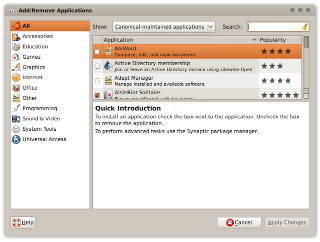
Add Remove Applications Dialogue |
|
|
Comment |

Add Remove applications shows how Ubuntu orange is used in list selections.
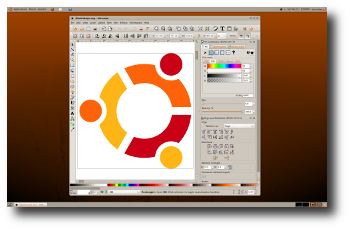
Inkscape Vector Graphics Editor |
|
|
Comment |
Inkscape is an example of a well crafted Gnome application. Note the tool bar handles and the status grip.
The Widget Factory |
|

|
Comment |
The Widget Factory is a tool used to validate GTK widget appearance.
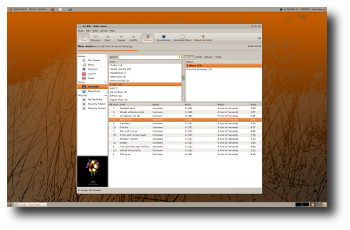
Rhythmbox Music Player |
|
|
Comment |
Rhythmbox music player displays its Ubuntu orange.
Nautilus File Manager |
|

|
Comment |
Nautilus file manager in icon display mode.
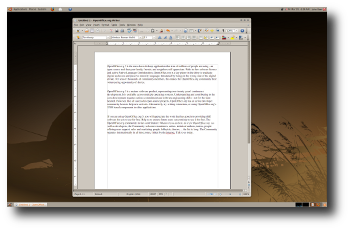
Open Office Productively Suite |
|
|
Comment |
Open Office with new scrollbars.
Gimp Image Editor |
|

|
Comment |
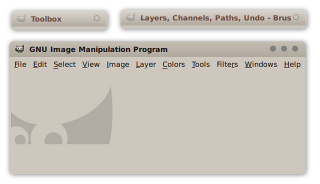
The Gimp image editor illustrates how focused and un-focused metacity window display.
Metacity Shaded |
|
|
Comment |
The Gimp image editor displayed with shaded metacity windows.
Blue Impression |
|

|
Comment |
The above screen shot illustrates how easy it is to change to the basic appearance of the "Impression" theme. It is important to note this theme depends upon gradients and gradients depend upon two different colors which are capable of producing the desired shadow effect. Choosing base colors which are very dark or light will probably not work well.

Volume Control |
|
|
Comment |
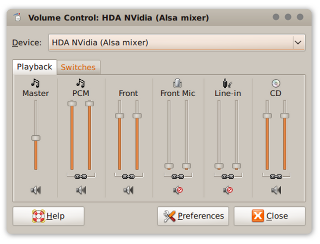
The volume control is a good example of the GtkScale widget. Also note the appearance of the Notebook tabs. Firefox tabs inherit from GtkNotebook as desired and display as shown above.
Firefox Totem |
|

|
Comment |
Firefox does a good job implementing Impression as evidenced by the above.
Theme Installation |
|
|
Installation |


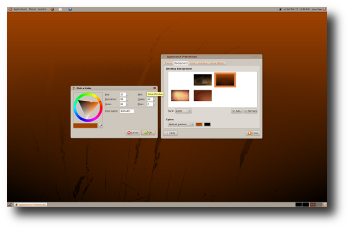
One method to install a new Gnome theme is to open the "Appearance Preferences" dialogue under System>Preferences and click the <Install> button. Gnome will prompt you to select a theme which in this case is Impression.tar.gz. Once installed, select the Impression theme icon from the list of available themes as shown above.
Other Pages
Download
Theme: Impression tar
Supports Murrine svn090, depends on svn132
Murrine SVN Engine
Currently svn090
Comments
It would be nice if you would use the Murrine engine.
Exsecrabilus, Exsecrabilus@Gmail.com
Done!
.develops its theme successfully but is still very inconsistent. you have to unify the color of the selection (gray or orange?). Remove metacity border would also be quite good;)<daniel planas(marmol themes and alegre themes creator)
. i created a alternative metacity for impresion. I think it's more neutral and modern(dust port)daniel's metacity
This release of Impression supports the svn145 version of the Murrine engine which is available from launchpad.
Your comments here.