Impression
|
Size: 6219
Comment:
|
Size: 9230
Comment:
|
| Deletions are marked like this. | Additions are marked like this. |
| Line 7: | Line 7: |
| == Human Impression == ''Impressionism was a 19th-century art movement that began as a loose association of Paris-based artists exhibiting their art publicly in the 1860s. The name of the movement is derived from the title of a Claude Monet work, Impression, Sunrise (Impression, soleil levant), which provoked the critic Louis Leroy to coin the term in a satiric review published in Le Charivari. |
== Impression == ''Impression-ism was a 19th-century art movement that began as a loose association of Paris-based artists exhibiting their art publicly in the 1860s. The name of the movement is derived from the title of a Claude Monet work, Impression, Sunrise (Impression, soleil levant), which provoked the critic Louis Leroy to coin the term in a satiric review published in Le Charivari. |
| Line 15: | Line 16: |
| ''Create a theme which presents applications framed in a neutral warm color that supports dark and light text and icons.'' * '''Stable Engine:''' This theme is designed to use established GTK engines such as Clearlooks and pixmap. * '''Human Icon Theme:''' Must support current Human icon set. * '''Visually neutral:''' A neutral base does not distract from the content being displayed and is easy to view for long periods of time. This adds value when viewing images or graphics where the theme may influence the perception of the content. * '''Two Panel Desktop:''' This is the GNOME standard, stay with it. ~-* '''Why Not Black:''' The base color of a theme removes that color from the pallet of every object which supports the theme. For example black text does not display on a black background (i.e. no longer a choice). An icon which is mostly black or some other dark color does not display well on a black background (i.e. no longer a choice). IMO most of today's icons were designed to display on a light background and would require a significant amount of re-work.-~ === Comments on This Release === Please keep in mind this is an alpha release. The primary engine used is `clearlooks` with some elements embellished with graphics using the pixmap engine. Nearly every style has been expanded with all of its background, foreground, base, and text properties exposed. The default attribute for any specific property is `@error` which is defined as the color cyan (light blue - `#00ffff`). If you see this color, that is an error. ;) The metacity theme is new and uses round buttons which prelight to Ubuntu colors. * Yellow = Shelf Window to tray * Orange = Minimum/Maximum Window * Red = Close Window The box to the left of the window title displays window options and the circle in the lower right (when displayed) is the re-size grip. === Schedule === 11/20/2008 - Alpha 1 (./) * Review of current themes to determine design goals. * Dark color scheme which agrees with Ubuntu yellow, red, and orange colors * Default applications display as designed * Quick execution * Reliable operation 12/18/2008 - Alpha 2 (./) * Theme is developed to point where it can be tested and reviewed * Preliminary artwork in place * Issues with specific programs identified (e.g. Evo, gFTP, Firefox) 01/15/2009 - Alpha 3 * Most blue errors resolved 02/05/2009 - Alpha 4 * All blue errors resolved * Most remaining errors resolved 02/26/2009 - Alpha 5 * Artwork frozen * All remaining errors resolved * Add performance tweaks 03/12/2009 - Alpha 6 * Testing 03/26/2009 - Beta * Done <<BR>> === Known Errors === * Blue errors * Change 3D ''insensitive'' menu items * Evolution headers use dark font * gFTP menu needs work * Firefox needs work * Make adjustments to color and tint <<BR>> |
Enhance the user computing experience by applying balance and harmony to the Gnome Desktop framing applications in such a manner as to permit the eye to focus without distraction on the content displayed. The desire is an optimal result from an optimal process. ||<style="border:0;">{{attachment:design.png}}||<style="border:0;">'''[[/Kyudo|Theme Design]]''': How did we get here?|| === Comments === ||<tablestyle="margin-bottom:25px;" style="border:0;">{{attachment:Desktop_640.png}}|| ||<style="border:0;text-align:center;">Zoom: [[attachment:Desktop_1024.png|1024x640]]|| The single most significant change between Alpha5 and Alpha6 is additional refinements to Metacity and added support for the Murrine engine. * Murrine RGBA support turned for on for selected transparency of windows * Support for color customization added through the Gnome Appearance Preferences dialog * `Metacity` theme linked to Gtk to create a blended uniform presentation * `Metacity` maximized windows display with square corners * `GtkToolbar` widgets rendered by murrine * `GtkScrollbar` widgets rendered by murrine * `GtkScale` widgets rendered by murrine * The base theme color adjusted to neutral "#cdc7be" to provide better contrast. === Issues === * svn132 + - `GtkProgressbar` trough is not theme-able |
| Line 83: | Line 42: |
| ||<tablestyle="text-align:center">{{attachment:Alpha2AppearancePref_320.png}}||||<tablestyle="text-align:center">{{attachment:Alpha2Inkscape_320.png}}|| ||[[attachment:Alpha2AppearancePref.png|Fullsize]] Appearance Preference||||[[attachment:Alpha2Inkscape.png|Fullsize]] Inkscape|| * The `Appearance Preferences` screen is a good example of the notebook style. It also shows the three main colors of the theme at work with a white canvas. * `Inkscape` is an excellent example of widgets and colors at play. <<BR>> ||<tablestyle="text-align:center">{{attachment:Alpha2QuickTime_320.png}}||||<tablestyle="text-align:center">{{attachment:Alpha2Rhythmbox_320.png}}|| ||[[attachment:Alpha2QuickTime.png|Fullsize]] Firefox Quicktime||||[[attachment:Alpha2Rhythmbox.png|Fullsize]] Rhythmbox|| * Firefox using the Totem plugin playing a quick time trailer. * Rhythmbox is another key application with widgets at play. This application also takes advantage of the new scale widget. <<BR>> ||<tablestyle="text-align:center">{{attachment:Alpha2Nautilus_320.png}}||||<tablestyle="text-align:center">{{attachment:Alpha2TheWidgetFactory_320.png}}|| ||[[attachment:Alpha2Nautilus.png|Fullsize]] Firefox Quicktime||||[[attachment:Alpha2TheWidgetFactory.png|Fullsize]] Rhythmbox|| * Folder view of Nautilus. * Standard widget factory view. <<BR>> ==== Brasero ==== {{attachment:Alpha2BraseroBurn.png}} The `Brasero` example shows the progress bar at work. <<BR>> ==== Menu ==== {{attachment:Alpha2Menu.png}} Menus with an orange "prelight" and enhanced background. <<BR>> ==== UpdateManager ==== {{attachment:Alpha2UpdateManager.png}} An example of a tree view object. <<BR>> ==== VolumeControl ==== {{attachment:Alpha2VolumeControl.png}} An example of the scale widget. The handle ''prelights'' from transparent to yellow. <<BR>> |
||<tablestyle="text-align:center;" style="background-color:#cdc7be">Add Remove Applications Dialogue|| ||{{attachment:AddRemoveApplications_320.png}}|| ||[[attachment:AddRemoveApplications_640.png|Full Image]] || ||<style="border:0;">{{attachment:StickyNote.png}}||<style="border:0;">Comment|| ~-Add Remove applications shows how Ubuntu orange is used in list selections.-~ <<BR>> ||<tablestyle="text-align:center;" style="background-color:#cdc7be">Inkscape Vector Graphics Editor|| ||{{attachment:Inkscape_320.png}}|| ||[[attachment:Inkscape_640.png|Full Image]] || ||<style="border:0;">{{attachment:StickyNote.png}}||<style="border:0;">Comment|| ~-Inkscape is an example of a well crafted Gnome application. Note the tool bar handles and the status grip.-~ <<BR>> ||<tablestyle="text-align:center" style="background-color:#cdc7be">The Widget Factory|| ||{{attachment:TheWidgetFactory_320.png}}|| ||[[attachment:TheWidgetFactory_640.png|Full Image]] || ||<style="border:0;">{{attachment:StickyNote.png}}||<style="border:0;">Comment|| ~-The Widget Factory is a tool used to validate GTK widget appearance.-~ <<BR>> ||<tablestyle="text-align:center" style="background-color:#cdc7be">Rhythmbox Music Player|| ||{{attachment:Rhythmbox_320.png}}|| ||[[attachment:Rhythmbox_640.png|Full Image]] || ||<style="border:0;">{{attachment:StickyNote.png}}||<style="border:0;">Comment|| ~-Rhythmbox music player displays its Ubuntu orange.-~ <<BR>> ||<tablestyle="text-align:center" style="background-color:#cdc7be">Nautilus File Manager|| ||{{attachment:Nautilus_320.png}}|| ||[[attachment:Nautilus_640.png|Full Image]] || ||<style="border:0;">{{attachment:StickyNote.png}}||<style="border:0;">Comment|| ~-Nautilus file manager in icon display mode.-~ <<BR>> ||<tablestyle="text-align:center" style="background-color:#cdc7be">Open Office Productively Suite|| ||{{attachment:OpenOffice_320.png}}|| ||[[attachment:OpenOffice_640.png|Full Image]] || ||<style="border:0;">{{attachment:StickyNote.png}}||<style="border:0;">Comment|| ~-Open Office with new scrollbars.-~ <<BR>> ||<tablestyle="text-align:center" style="background-color:#cdc7be">Gimp Image Editor|| ||{{attachment:Gimp_320.png}}|| ||[[attachment:Gimp_640.png|Full Image]] || ||<style="border:0;">{{attachment:StickyNote.png}}||<style="border:0;">Comment|| ~-The Gimp image editor illustrates how focused and un-focused `metacity` window display.-~ <<BR>> ||<tablestyle="text-align:center" style="background-color:#cdc7be">Metacity Shaded|| ||{{attachment:MetacityShaded_320.png}}|| ||[[attachment:MetacityShaded_640.png|Full Image]] || ||<style="border:0;">{{attachment:StickyNote.png}}||<style="border:0;">Comment|| ~-The Gimp image editor displayed with shaded `metacity` windows.-~ <<BR>> ||<tablestyle="text-align:center" style="background-color:#cdc7be">Blue Impression|| ||{{attachment:CustomizedColors_320.png}}|| ||[[attachment:CustomizedColors_640.png|Full Image]] || ||<style="border:0;">{{attachment:StickyNote.png}}||<style="border:0;">Comment|| ~-The above screen shot illustrates how easy it is to change to the basic appearance of the "Impression" theme. It is important to note this theme depends upon gradients and gradients depend upon two different colors which are capable of producing the desired shadow effect. Choosing base colors which are very dark or light will probably not work well.-~ :) <<BR>> ||<tablestyle="text-align:center" style="background-color:#cdc7be">Volume Control|| ||{{attachment:VolumeControl_320.png}}|| ||[[attachment:VolumeControl_640.png|Full Image]] || ||<style="border:0;">{{attachment:StickyNote.png}}||<style="border:0;">Comment|| ~-The volume control is a good example of the `GtkScale` widget. Also note the appearance of the ''Notebook'' tabs. Firefox tabs inherit from `GtkNotebook` as desired and display as shown above.-~ <<BR>> ||<tablestyle="text-align:center" style="background-color:#cdc7be">Firefox Totem|| ||{{attachment:FirefoxTotem_320.png}}|| ||[[attachment:FirefoxTotem_640.png|Full Image]] || ||<style="border:0;">{{attachment:StickyNote.png}}||<style="border:0;">Comment|| ~-Firefox does a good job implementing Impression as evidenced by the above.-~ <<BR>> ||<tablestyle="text-align:center" style="background-color:#cdc7be">Theme Installation|| ||{{attachment:AppearancePreferences_320.png}}|| ||[[attachment:AppearancePreferences_640.png|Full Image]] || ||<style="border:0;">{{attachment:install.png}}||<style="border:0;">'''Installation'''|| ~-One method to install a new Gnome theme is to open the "Appearance Preferences" dialogue under '''`System>Preferences`''' and click the <Install> button. Gnome will prompt you to select a theme which in this case is [[attachment:Impression.tar.gz]]. Once installed, select the ''Impression'' theme icon from the list of available themes as shown above.-~ == Other Pages == * [[Artwork/Incoming/Jaunty/Impression/TumbleWeedBackground]] * [[Artwork/Incoming/Jaunty/Impression/MsgBackground]] * [[Artwork/Incoming/Jaunty/Impression/FastBootBackground]] * [[Artwork/Incoming/Jaunty/Impression/HighwayBackground]] * [[Artwork/Incoming/Jaunty/Impression/GearBackground]] * [[Artwork/Incoming/Jaunty/Impression/GrassBackground]] * [[Artwork/Incoming/Jaunty/Impression/BoatBackground]] * [[Artwork/Incoming/Jaunty/Impression/Gtkrc]] * [[Artwork/Incoming/Jaunty/Impression/Kyudo]] * [[Artwork/Incoming/Jaunty/Impression/Metacity]] == Download == * Theme: [[attachment:Impression.tar.gz|Impression]] tar * ~-Supports Murrine svn090, depends on svn132-~ * Murrine SVN [[https://launchpad.net/~suraia/+archive|Engine]] * ~-Currently svn090-~ ---- CategoryArtwork |
| Line 137: | Line 188: |
| * Comments welcome! <<BR>> == Download == * Download here: [[attachment:Impression.tar.gz]] <<AttachList>> |
It would be nice if you would use the Murrine engine. Exsecrabilus, Exsecrabilus@Gmail.com Done! :) .develops its theme successfully but is still very inconsistent. you have to unify the color of the selection (gray or orange?). Remove metacity border would also be quite good;)<daniel planas(marmol themes and alegre themes creator) . i created a alternative metacity for impresion. I think it's more neutral and modern(dust port)[[https://wiki.ubuntu.com/Artwork/Incoming/Jaunty/Impression?action=AttachFile&do=view&target=daniel%27s+impression+metacity.tar.gz|daniel's metacity]] |
| Line 147: | Line 198: |
| CategoryArtwork | This release of Impression supports the svn145 version of the Murrine engine which is available from [[https://launchpad.net/~suraia/+archive|launchpad]]. JohnBaer ---- Your comments here. |
Contents |
| Slideshow ^ |< << Slide 12 of 55 >> >| |
Impression
Impression-ism was a 19th-century art movement that began as a loose association of Paris-based artists exhibiting their art publicly in the 1860s. The name of the movement is derived from the title of a Claude Monet work, Impression, Sunrise (Impression, soleil levant), which provoked the critic Louis Leroy to coin the term in a satiric review published in Le Charivari. Characteristics of Impressionist painting include visible brush strokes, open composition, emphasis on light in its changing qualities (often accentuating the effects of the passage of time), ordinary subject matter, the inclusion of movement as a crucial element of human perception and experience, and unusual visual angles.
Concept
Enhance the user computing experience by applying balance and harmony to the Gnome Desktop framing applications in such a manner as to permit the eye to focus without distraction on the content displayed. The desire is an optimal result from an optimal process.

Theme Design: How did we get here?
Comments
Zoom: 1024x640 |

The single most significant change between Alpha5 and Alpha6 is additional refinements to Metacity and added support for the Murrine engine.
- Murrine RGBA support turned for on for selected transparency of windows
- Support for color customization added through the Gnome Appearance Preferences dialog
Metacity theme linked to Gtk to create a blended uniform presentation
Metacity maximized windows display with square corners
GtkToolbar widgets rendered by murrine
GtkScrollbar widgets rendered by murrine
GtkScale widgets rendered by murrine
- The base theme color adjusted to neutral "#cdc7be" to provide better contrast.
Issues
svn132 + - GtkProgressbar trough is not theme-able
Preview Screen Shots
Add Remove Applications Dialogue |
|
|
Comment |

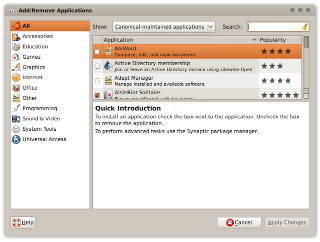
Add Remove applications shows how Ubuntu orange is used in list selections.
Inkscape Vector Graphics Editor |
|
|
Comment |
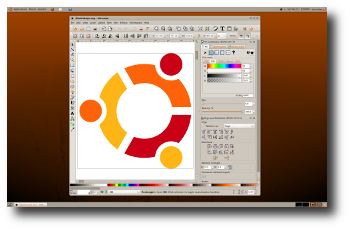
Inkscape is an example of a well crafted Gnome application. Note the tool bar handles and the status grip.
The Widget Factory |
|

|
Comment |
The Widget Factory is a tool used to validate GTK widget appearance.
Rhythmbox Music Player |
|
|
Comment |
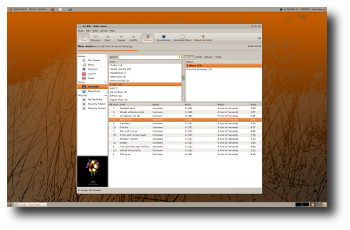
Rhythmbox music player displays its Ubuntu orange.
Nautilus File Manager |
|

|
Comment |
Nautilus file manager in icon display mode.
Open Office Productively Suite |
|
|
Comment |
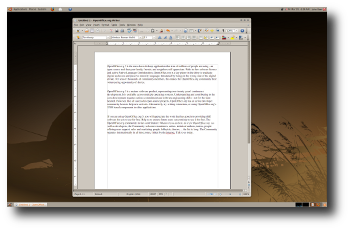
Open Office with new scrollbars.
Gimp Image Editor |
|

|
Comment |
The Gimp image editor illustrates how focused and un-focused metacity window display.
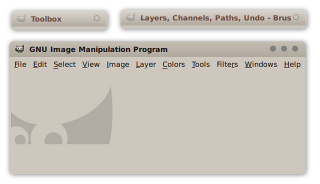
Metacity Shaded |
|
|
Comment |
The Gimp image editor displayed with shaded metacity windows.
Blue Impression |
|

|
Comment |
The above screen shot illustrates how easy it is to change to the basic appearance of the "Impression" theme. It is important to note this theme depends upon gradients and gradients depend upon two different colors which are capable of producing the desired shadow effect. Choosing base colors which are very dark or light will probably not work well.

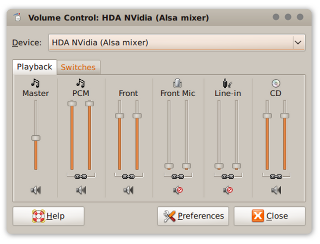
Volume Control |
|
|
Comment |
The volume control is a good example of the GtkScale widget. Also note the appearance of the Notebook tabs. Firefox tabs inherit from GtkNotebook as desired and display as shown above.
Firefox Totem |
|

|
Comment |
Firefox does a good job implementing Impression as evidenced by the above.
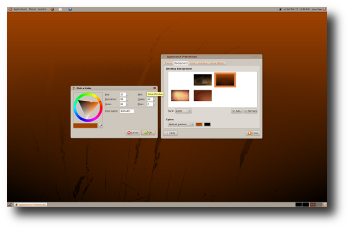
Theme Installation |
|
|
Installation |


One method to install a new Gnome theme is to open the "Appearance Preferences" dialogue under System>Preferences and click the <Install> button. Gnome will prompt you to select a theme which in this case is Impression.tar.gz. Once installed, select the Impression theme icon from the list of available themes as shown above.
Other Pages
Download
Theme: Impression tar
Supports Murrine svn090, depends on svn132
Murrine SVN Engine
Currently svn090
Comments
It would be nice if you would use the Murrine engine.
Exsecrabilus, Exsecrabilus@Gmail.com
Done!
.develops its theme successfully but is still very inconsistent. you have to unify the color of the selection (gray or orange?). Remove metacity border would also be quite good;)<daniel planas(marmol themes and alegre themes creator)
. i created a alternative metacity for impresion. I think it's more neutral and modern(dust port)daniel's metacity
This release of Impression supports the svn145 version of the Murrine engine which is available from launchpad.
Your comments here.
Artwork/Incoming/Jaunty/Impression (last edited 2009-07-03 21:55:44 by 207)